LotTrailby SmartFACT

LOTTRAIL · FREE TIER

What is lot traceability?

Updated

Lot traceability is the ability to follow a lot of material forwards, to everything it went into, and backwards, to where it came from. LotTrail does this from the records you already keep: it follows only the links those records state, and shows where they stop.

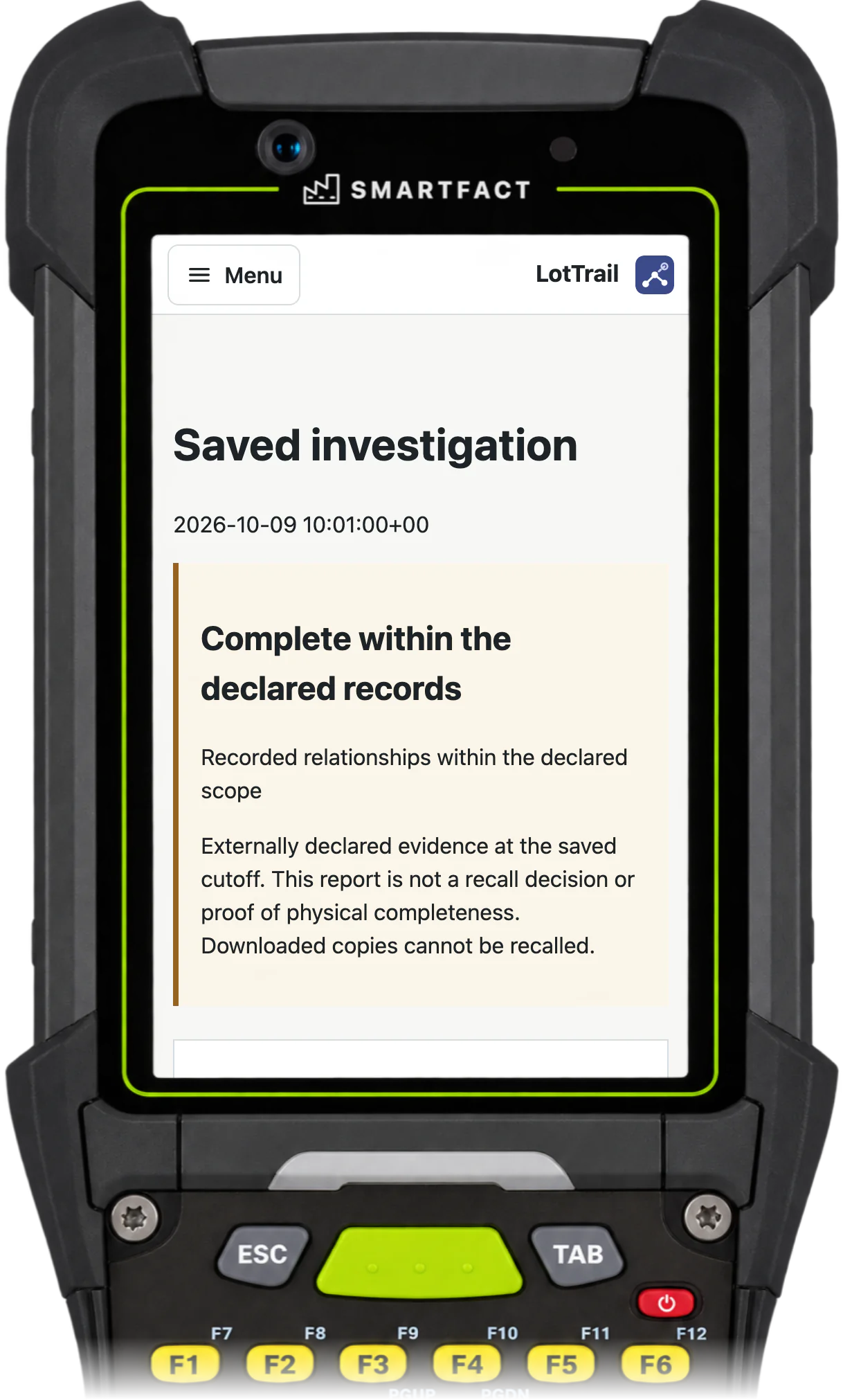
LotTrail saved investigation headed Complete within the declared records, with its coverage notice
A saved trace opens with what its records cover, on a handheld or scan station.
What is lot traceability? · 2:35 · Watch on YouTube

How does lot traceability work in both directions?

Forward traceability starts from a lot and follows it to the operations, products and shipments your records link it to. Backward traceability starts from a product, unit or later lot and works back to the material lots recorded as its inputs.

In LotTrail, the investigator chooses the declared source, scans or enters the exact lot or serial number, and chooses the direction: from input towards output, or from output towards input. Leading zeroes, case and the code’s source are kept as part of its identity, so a matching code from another source stays a different identity until a supervisor approves a link. Each saved result lists the recorded identities and relationships, with a source timeline that separates when something happened from when the source recorded it.
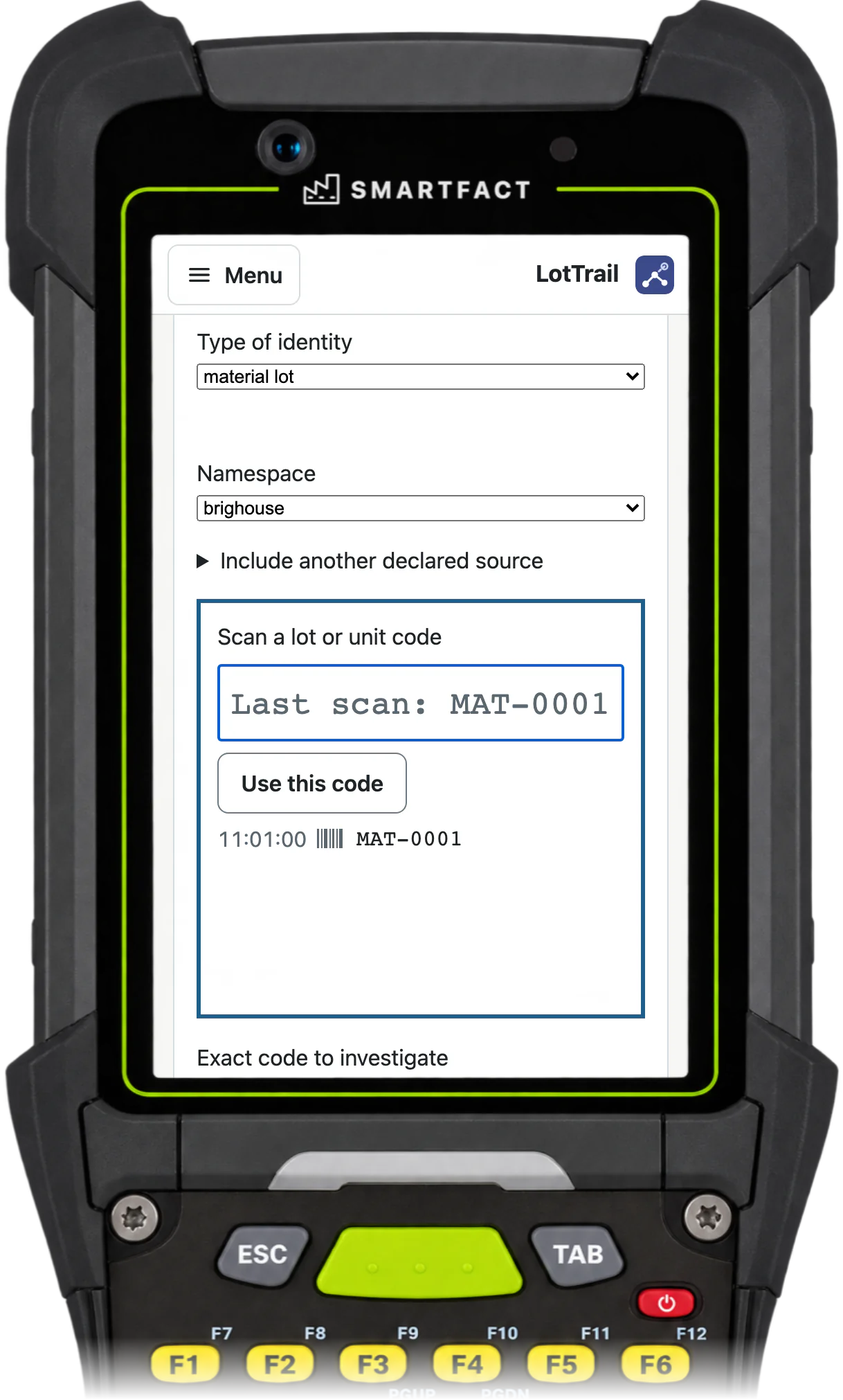
LotTrail investigation form with lot MAT-0001 scanned from the workshop records
Scanning the exact lot code to start a trace, on a handheld or scan station.

Which records does it follow?

The records your systems already keep, such as material receipts and production or despatch records. A supervisor declares each source: its data owner, the period it covers, the relationships it can record and who may read it. Records arrive as agreed files, each reviewed before it is accepted, and the exact bytes of every accepted file are kept.

The same material often has a different code in each system. LotTrail joins two codes only where a supervisor has reviewed and approved that they are the same material, with a reason. The first set-up starts with two declared sources at one site and a past case whose answer you already know.
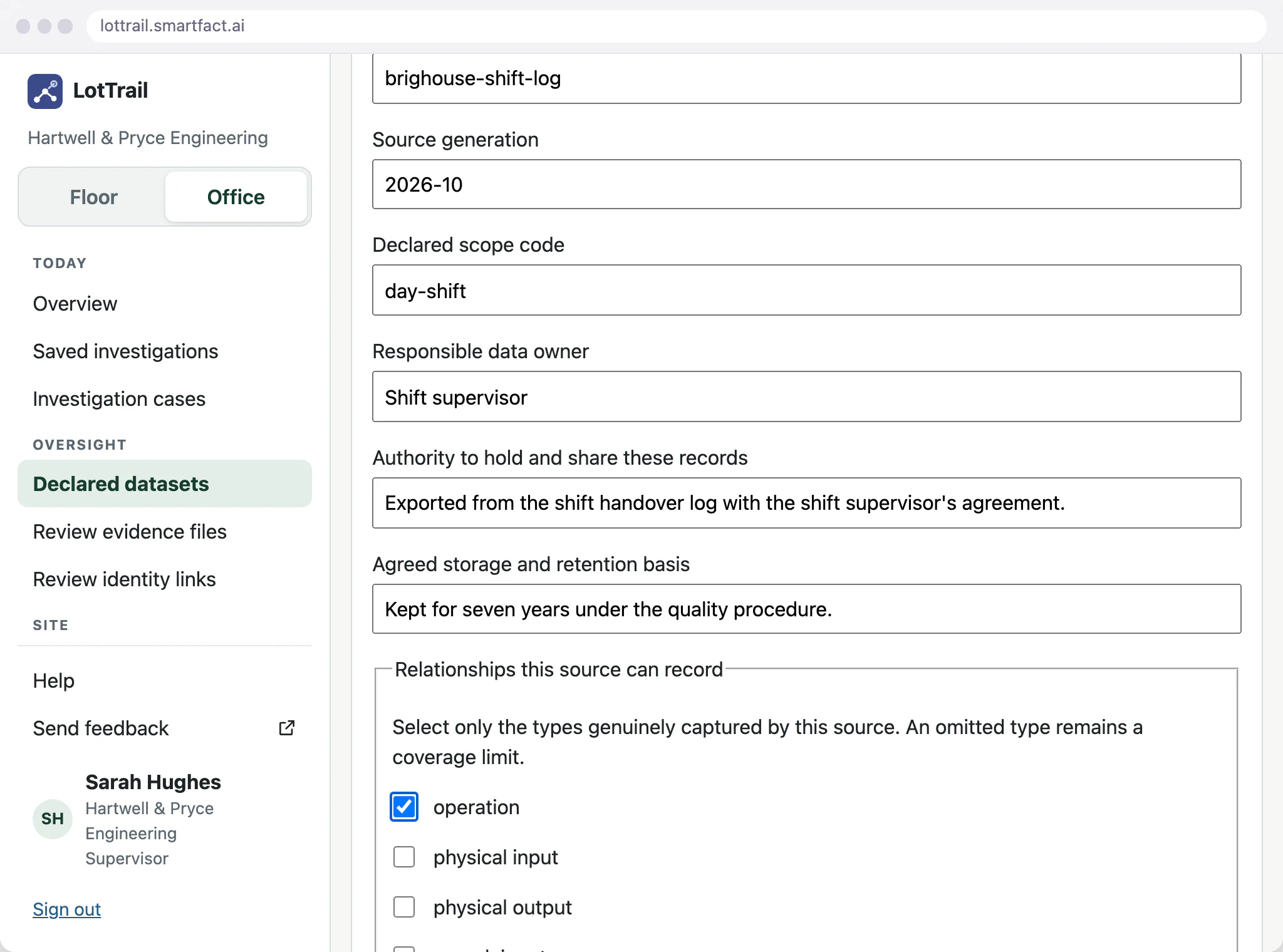
LotTrail dataset declaration listing the relationships this source can record
Declaring only the relationships a source actually records, in the office.

Where do the records stop?

Every result opens with its coverage: complete within the declared sources, partial or unknown. A missing record, a restricted source, a late record or a starting code that is not found is shown with the result, so you know which evidence to ask for.

A gap is never turned into a negative answer. A partial result or an empty list does not prove that a unit is unaffected, and LotTrail says so on the screen.
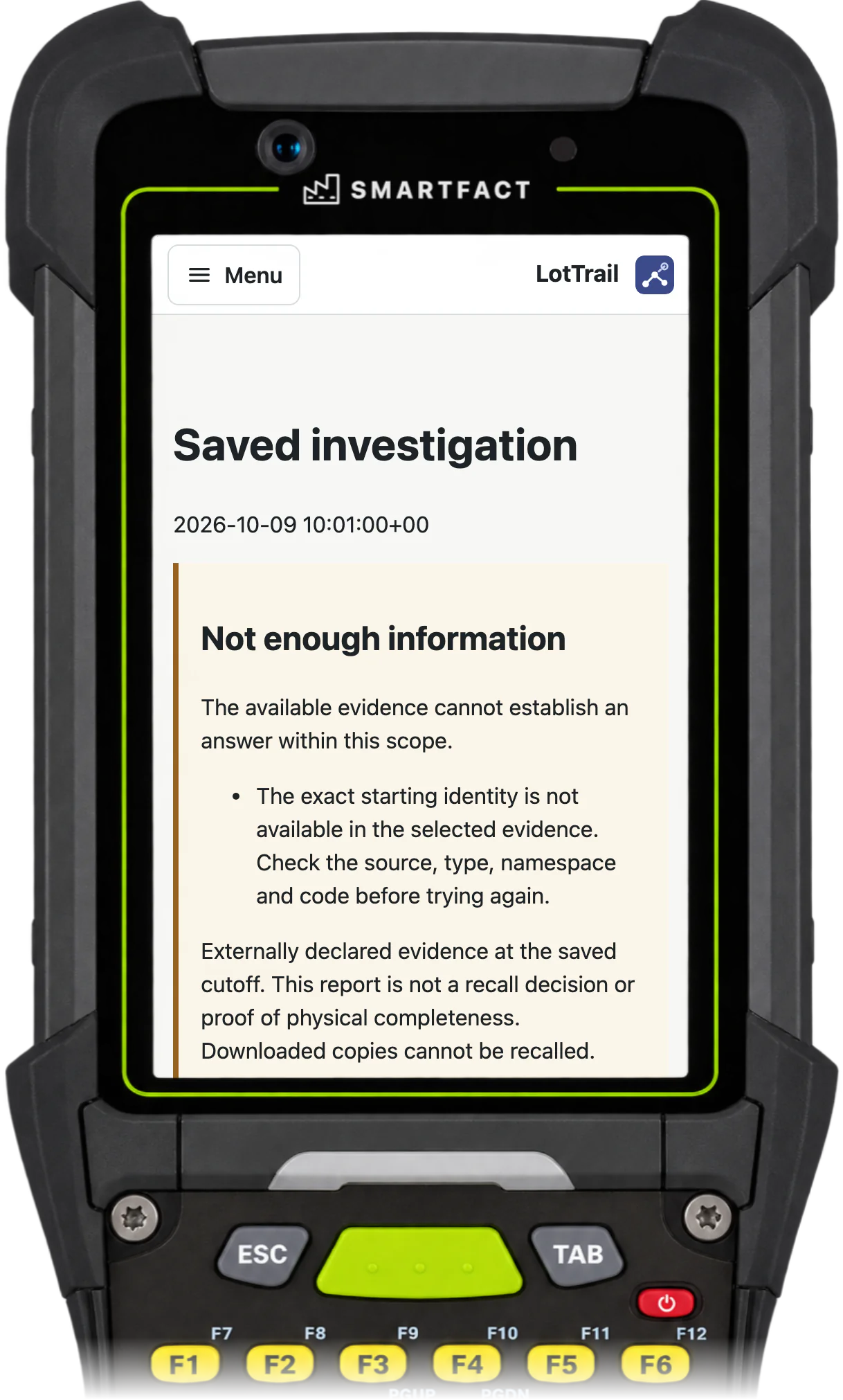
LotTrail saved investigation headed Not enough information, because the exact starting identity is not in the selected evidence
A trace that cannot start says why, on a handheld or scan station.

Which records are only context?

Kit checks, procedures, label prints and courier bookings show that something was checked or referenced. They do not show what went into a product or a shipment. LotTrail keeps them in a separate view of related records, each labelled as what it is, and never counts them as consumption or shipment contents.

What if one operation makes several outputs?

Where an operation records several outputs without saying which input went where, every recorded output is shown as potentially related, through the recorded group. LotTrail does not divide quantities between them or pick a single path, and quantities appear exactly as each source declares them.
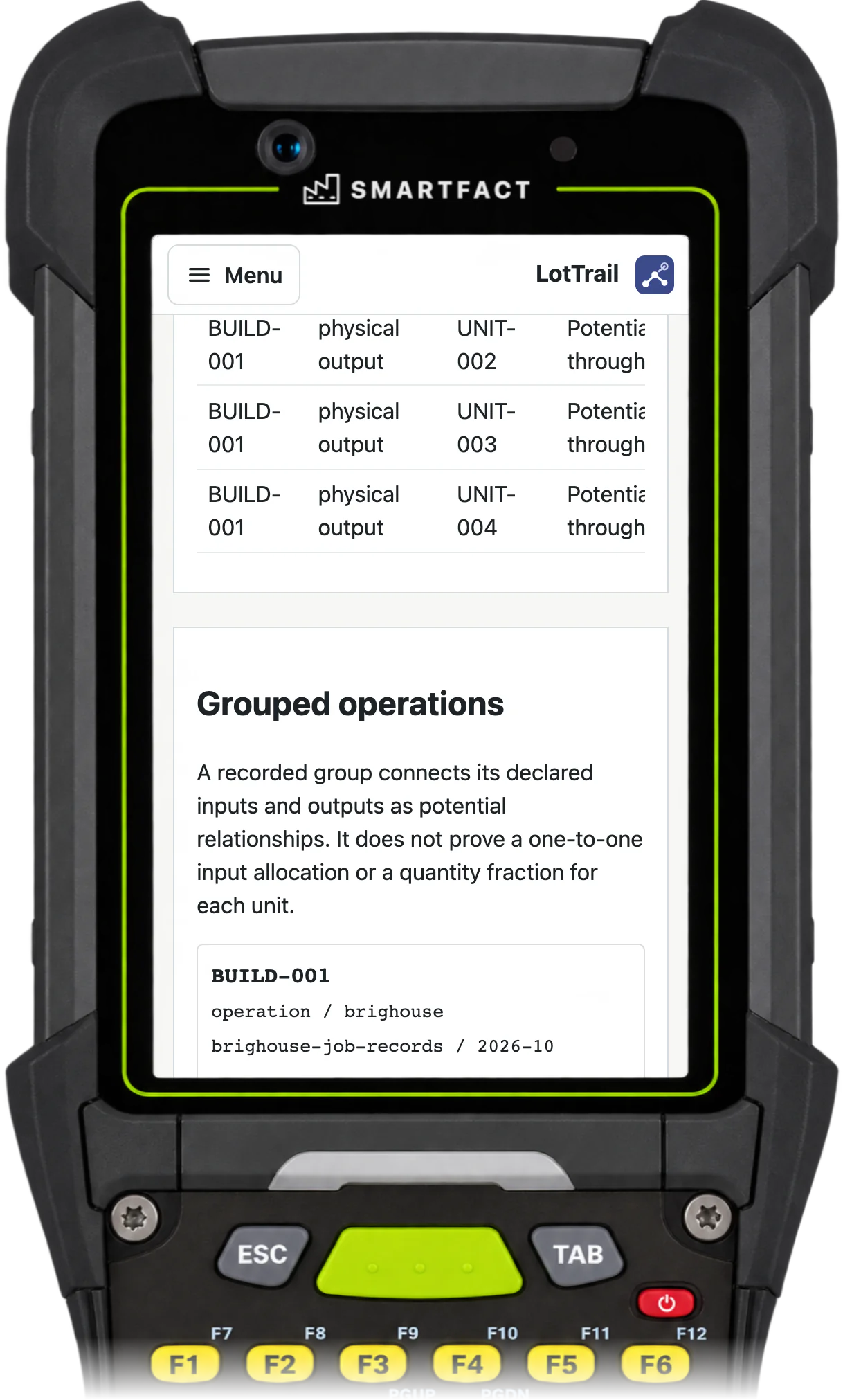
LotTrail saved investigation listing units UNIT-002 to UNIT-004 as potential outputs of operation BUILD-001, above its grouped operations notice
Several outputs of one operation, each shown as potentially related, on a handheld or scan station.

What LotTrail does not do

  • Recalls, holds or stock changes. LotTrail records investigations and cases; those actions stay in your own processes and systems.
  • Customer notices or contact.
  • Regulatory or EPCIS certification.
  • Inferred links. Timing, similar codes, scans, kit checks, label prints and bookings never create a link between lots.
  • Live connections to an ERP or other SmartFACT products. Records arrive as declared files.

Common questions

Can lot numbers be traced?

Yes, wherever they are recorded. A lot number can be followed through every record that names it and states how it relates to other lots, products or shipments, such as a goods receipt, a production record and a despatch note. Where a record is missing, the trace stops there, and a good trace shows where.

What does lot tracking mean?

Lot tracking means recording a lot or batch number against material as it is received, used and shipped, so each lot can be found again later. Lot traceability uses those records to follow a lot forwards to where it went, or backwards to where it came from.

What is the purpose of traceability?

To answer, with evidence, where a material went and where a product came from: when a supplier lot is questioned, a defect is found or a customer asks about a unit. A trace that also states what its records do not cover lets you decide on holds or recalls from known evidence.

What does “lot” mean in a warehouse?

A lot, or batch, is a quantity of material received or made together under one identifying number, so it shares the same source and production run. The lot number is what the records carry, and what a trace follows.

Our batch numbers are in one spreadsheet, the goods-in log in another and despatch in the order system: can LotTrail join them up?

Yes. LotTrail declares each system as its own source and follows a lot across all of them in one investigation, as far as the records link it. Each file comes into LotTrail’s evidence format through one of its file layouts, agreed at onboarding, or arrives as an evidence export from another SmartFACT product, and a supervisor reviews it before it is accepted. Where one lot has a different code in two systems, a supervisor approves the link with a reason, and a matching code alone never joins two records.

A typo in one spreadsheet silently drops a row: what does LotTrail do with a missing or mismatched record?

LotTrail never drops a row silently: a file with a malformed record is refused whole, and nothing from it is accepted. When a source’s numbered records have a gap, or a link names a lot that is not in the evidence, the result is marked partial or not enough information, with the reason shown above the detail. Codes are matched exactly, so a mistyped but valid code shows as its own record and is never corrected or guessed.

Start free at one station and pay when you grow. While SmartFACT is in early access, we set your first workflow up with you.

FREE TIER

Which traceability question takes longest to answer?

Tell us what you need to trace and where the records are kept. We arrange a demonstration and set your first two sources up with you, free, while SmartFACT is in early access.

Start free

Free at one station. Set up with you while SmartFACT is in early access.

THE SMARTFACT SUITE

SmartFACT services
and free tools.

Automate factory decisions with rules you describe in plain English. Explore focused SmartFACT services, plus free tools for everyday checks. The free tools need no account.

Free tool

ScannerBench

See the text and key events your keyboard scanner sends. Compare them with the value you expected.

Test a scanner
Free tool

PrintBench

Print a known PDF, measure its reference marks and compare scans from the printed codes.

Check a print
Free tool

CardBench

Create 100 × 50 mm bin and rack cards with Code 128 or QR, from one record or a CSV.

Make bin cards
Free tool

CountBench

Count stock by location with a barcode scanner, compare it with a stock file and export the results.

Start a free count
Free tool

BarcodeBench

See exactly what a scanned barcode contains, with hidden characters shown and GS1 fields, check digits and dates explained.

Inspect a barcode
Free tool

MatchBench

Scan a reference and each label, see an exact match or the first difference, and download the results.

Start a free comparison
Free tool

TagBench

Scan an item or location, note what needs attention, print a review tag and keep a review list.

Make a free tag
Free tool

FindBench

Load your own parts and locations CSV, scan a code and see every location it lists.

Start a free lookup
Free tool

ManifestBench

Check cartons, pallets or serial numbers against a list with a phone or scanner and see what is missing.

Start a free check
Free tool

FeedBench

Check CSV and JSON files exactly as written, preview a column mapping and compare two versions by key.

Check a file free
Free tool

CycleBench

Time work cycles and changeovers on a phone, record interruptions with reasons and download the results.

Start a free study
Free tool

OffcutBench

Label the offcuts on your rack, find a piece long enough before cutting new stock and record what you used.

Track offcuts free
Free tool

TraceBench

Load one or two CSV exports and follow a lot or serial forwards or backwards, with the row behind every link.

Start a free trace
Free tool

ReclaimBench

Record the parts recovered from each return, label them with a QR code, check them and record the unit each one goes into.

Track recovered parts free
Free tier

LabelRules

Describe label rules in plain English. Automatically select layouts, resolve customer codes and check each job before printing.

Explore LabelRules
Free tier

KitProof

Turn plain English component rules into automatic kit checklists, then check scans against the expected parts and quantities.

Explore KitProof
Free tier

WorkSteps

Turn plain English rules into automatic step selection for each unit, with required evidence and a record of completed work.

Explore WorkSteps
Free tier

FactorySpec

Apply approved product rules and calculations automatically to turn dimensions and options into manufacturing requirements.

Explore FactorySpec
Free tier

SmartFACT Data

Maintain reference tables with ConfigSheets or bring shop orders into SmartFACT through reviewed connectors. Check changes and deliver data to the products that use it.

Explore SmartFACT Data
Free tier

OrderRun

Turn plain English rules into automatic order checks and destination selection, with controlled production release.

Explore OrderRun
Early access

ParcelOffice

Scan the work order and the parcel choice to book the courier and print the labels. Approved plain English rules recommend or choose the parcel.

Explore ParcelOffice
Free tier

RefillFlow

Scan an empty container to send the right refill request to stores. Approved plain English rules set the stores queue, priority, ticket printer and escalation.

Explore RefillFlow
Free tier

RemnantRack

Label each offcut, find a suitable length before cutting new stock and record what you used. Approved plain English rules decide what to keep and where it goes.

Explore RemnantRack
Free tier

ToolCustody

Check a shared tool before handover, record who has it and keep damaged or overdue tools out of the next issue. Start free with one crib.

Explore ToolCustody
Free tier

StoresFlow

Receive, put away, reserve and issue stores material with barcode checks, keeping held, reserved and available stock apart. Start free with one stockroom.

Explore StoresFlow
Free tier

LotTrail

Follow a lot or serial number through the records your factory already keeps, with the source of each link and the gaps shown. Start free with two declared sources.

Start free
Early access

CheckStation

Scan an identified unit to get its approved final-inspection checks, then record exact readings with their result, holds and release history.

Explore CheckStation
Free tier

ReclaimStation

Book returned units in, recover and label the usable parts, release them independently and record the unit each goes into. Start free with one product family.

Explore ReclaimStation
Free tool

GuidBench

Generate GUIDs, UUID v4 and v7, ULIDs and Nano IDs, format and download batches, or inspect a UUID in your browser.

Generate identifiers
Free tool

OctetBench

Inspect and edit text, hex, Base64 and binary bytes in your browser, reveal hidden characters and compare byte sequences.

Inspect some bytes
Free tool

PatternBench

Test JavaScript regular expressions in your browser, inspect matches and captures, preview replacements and check expected cases.

Test a pattern
Free tier

SmartFACT Purchasing

Collect purchase requests, approve supplier orders and track what is still to arrive. Start free at one site.

Explore Purchasing
Free tier

SmartFACT Automation

Describe, test, approve and audit the automation rules of every SmartFACT product in one place. Included with each product’s paid plan, or on its own.

Explore Automation
Help

SmartFACT Help

Step-by-step guides and interactive demonstrations for the SmartFACT suite. Read the instructions, watch a task or practise with real product screens and sample data.

Open SmartFACT Help